From shipment tracking to daily action.
Redesigning an operator dashboard to make priorities visible and tasks actionable.
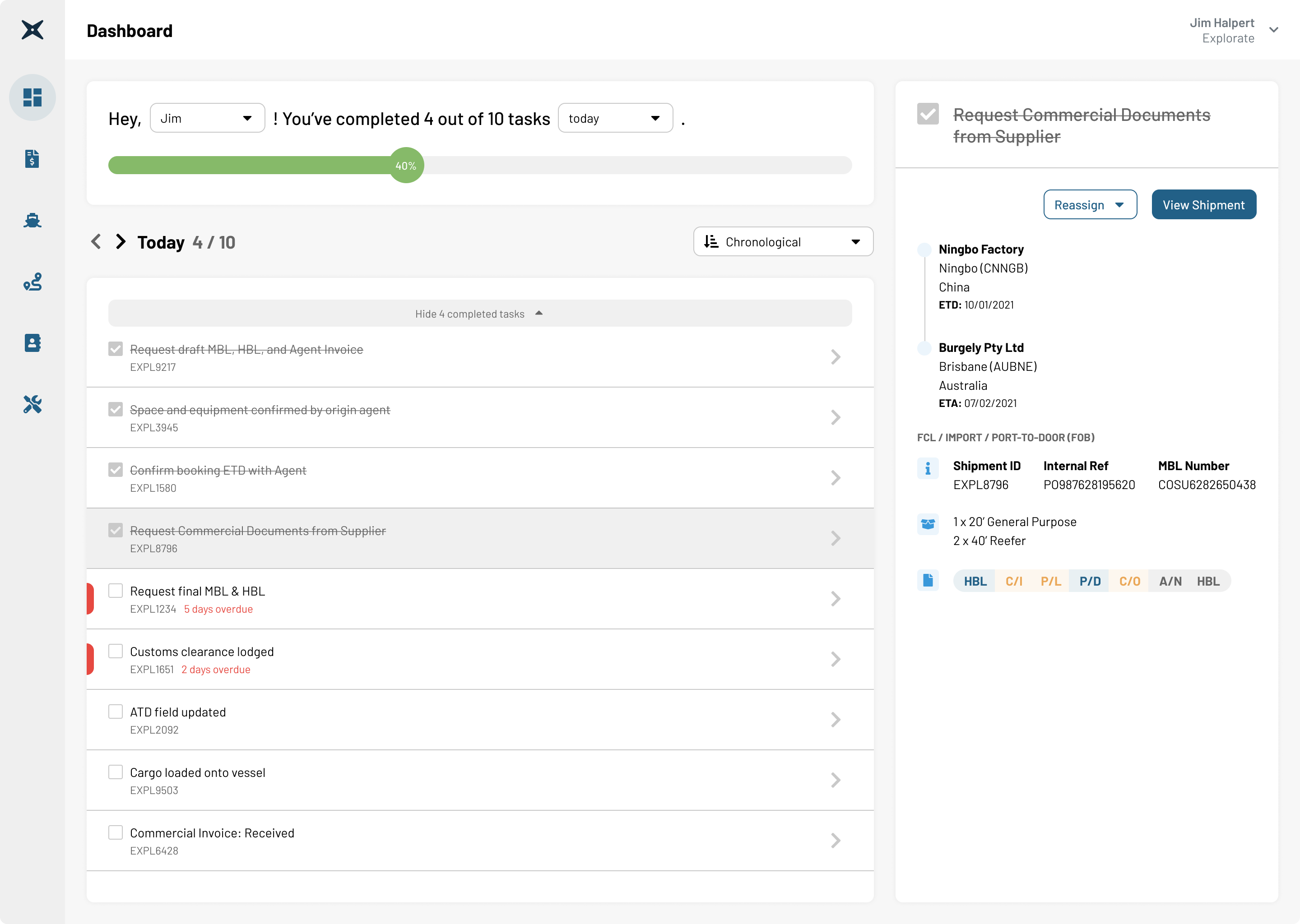
A workspace for the work behind every shipment.
Explorate is a digital freight forwarder. Behind each shipment, operators coordinate logistics, documentation, and shipment information. As shipment volumes grew, they needed a clearer way to manage the work involved.
The challenge was to help operators complete the right tasks on time across multiple shipments. I redesigned the dashboard around daily responsibilities, priorities, shipment context, and the tools needed to complete each task.
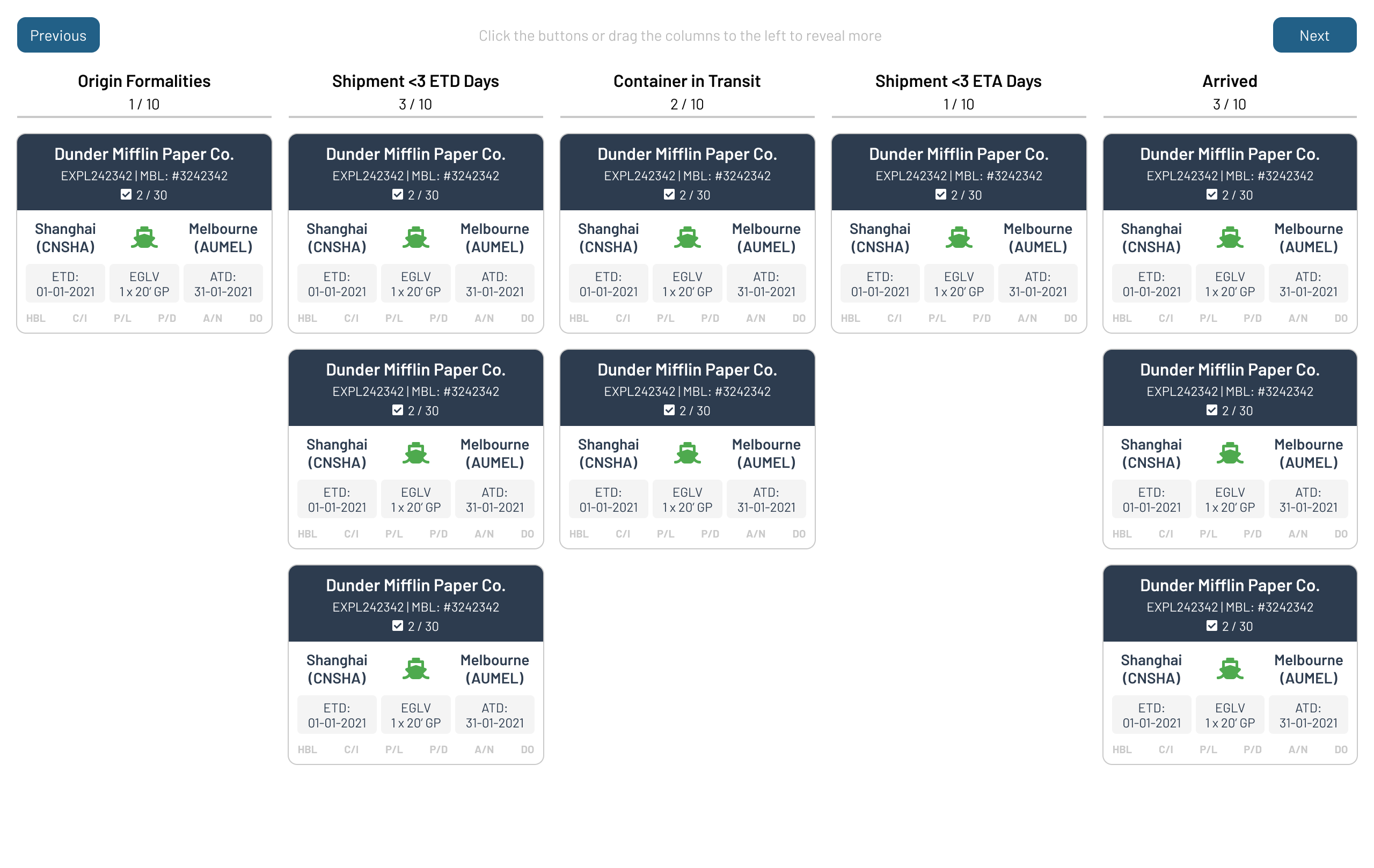
Shipment visibility did not translate into task visibility.
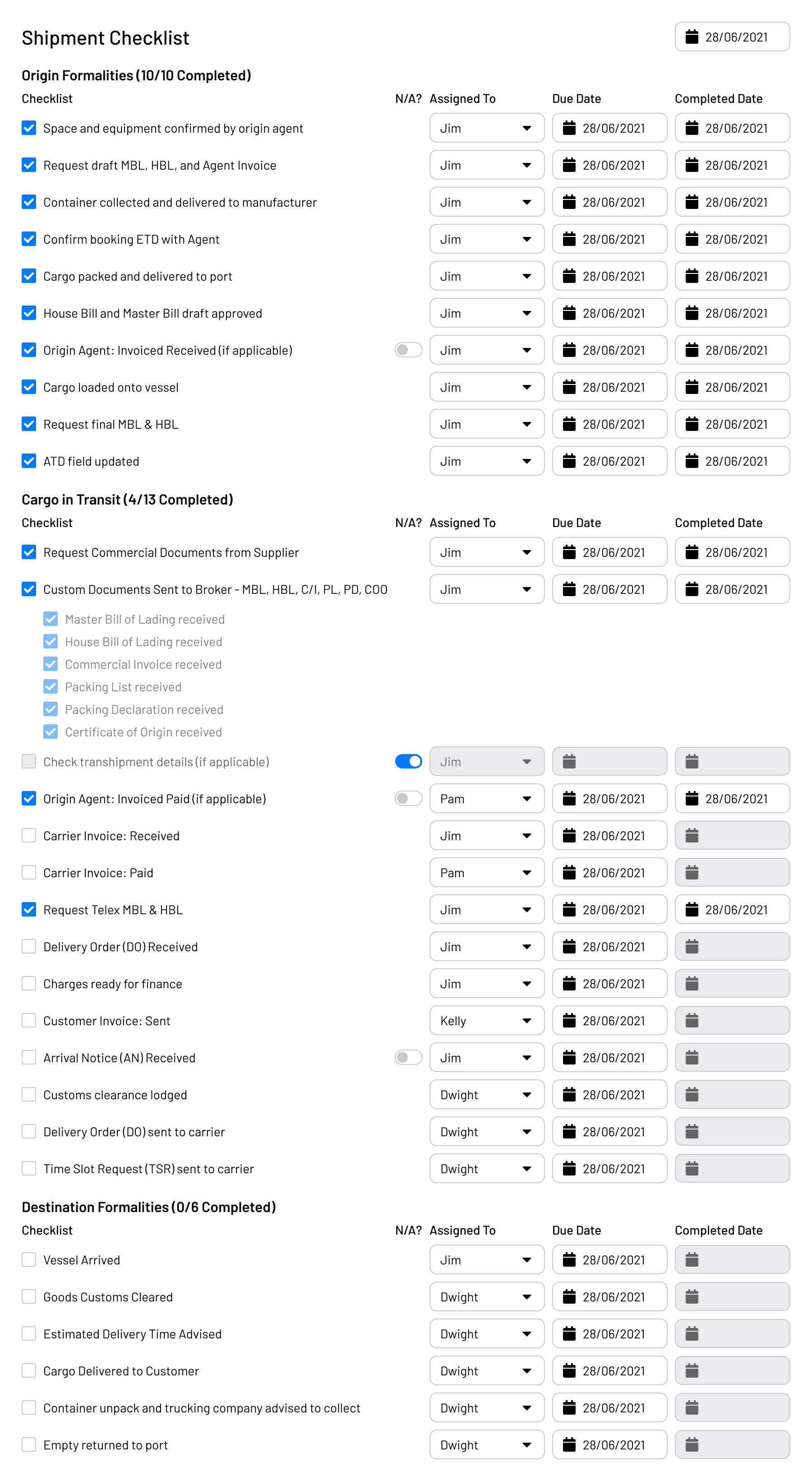
The existing kanban board showed shipments by stage, but assigned tasks were buried in each shipment’s checklist. Operators had to open shipments individually to find work. Missing a task could mean delays and fines.
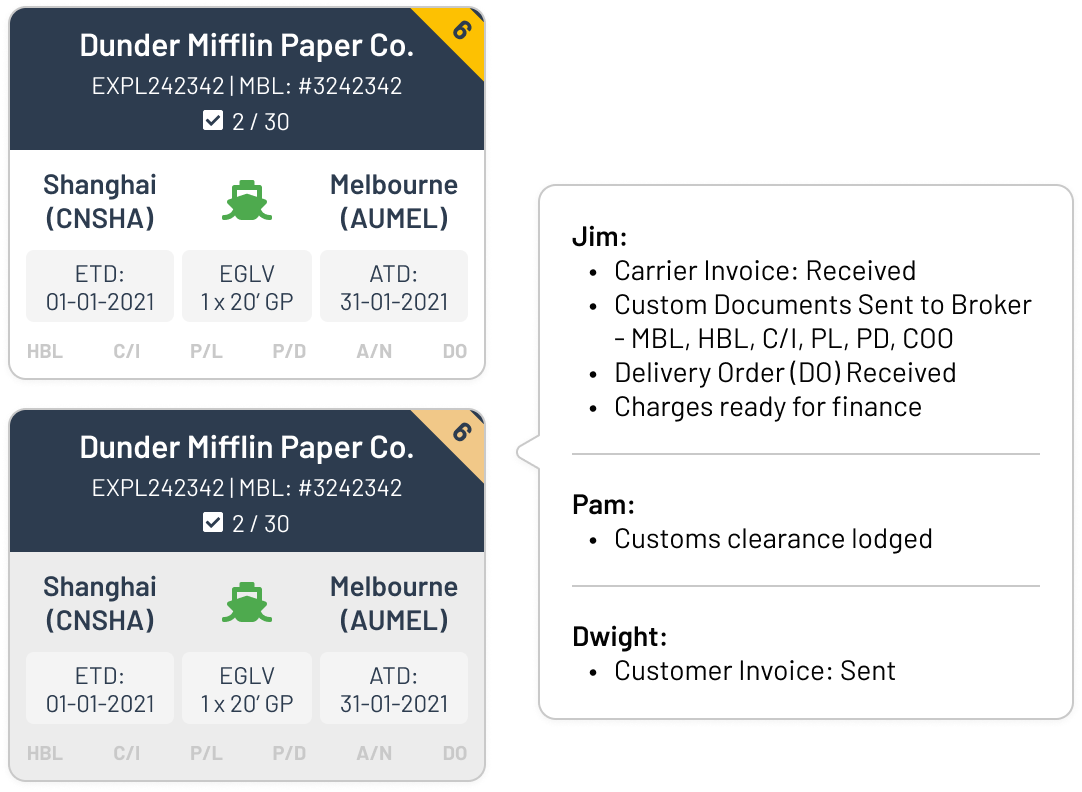
Yellow hover ribbons highlighted overdue tasks, but operators still had to inspect every card. The dashboard surfaced problems after they became urgent rather than helping prevent them.
Understanding how operators actually worked.
I interviewed operators and observed an operator’s day-to-day workflow to understand how they identified, prioritised, and completed work.
Two recurring concerns highlighted the limitations of the existing experience:
Key insights
- Operators worked at the task level. A shipment-level overview did not provide the detail needed to take action.
- Today’s workload demanded their attention. Operators had limited capacity to sift through future work.
- Completing a task often required more than a checkbox. Operators needed to upload documents, record dates, or communicate with third parties.
- Handoffs created visibility gaps. Changes in responsibility could leave work unnoticed.

How might we help operators identify and complete their tasks proactively?
I focused the redesign on three priorities:
Make daily responsibilities easy to find.
Keep relevant shipment information close to each task.
Let operators take action without leaving the dashboard.
A task-first workspace for daily operations.
I shifted the dashboard’s primary focus from shipments to tasks assigned to an operator, organised by day. Overdue labels made outstanding work visible, while completion counts and progress indicators summarised the day’s workload. Completed tasks were hidden to keep unfinished work in focus.
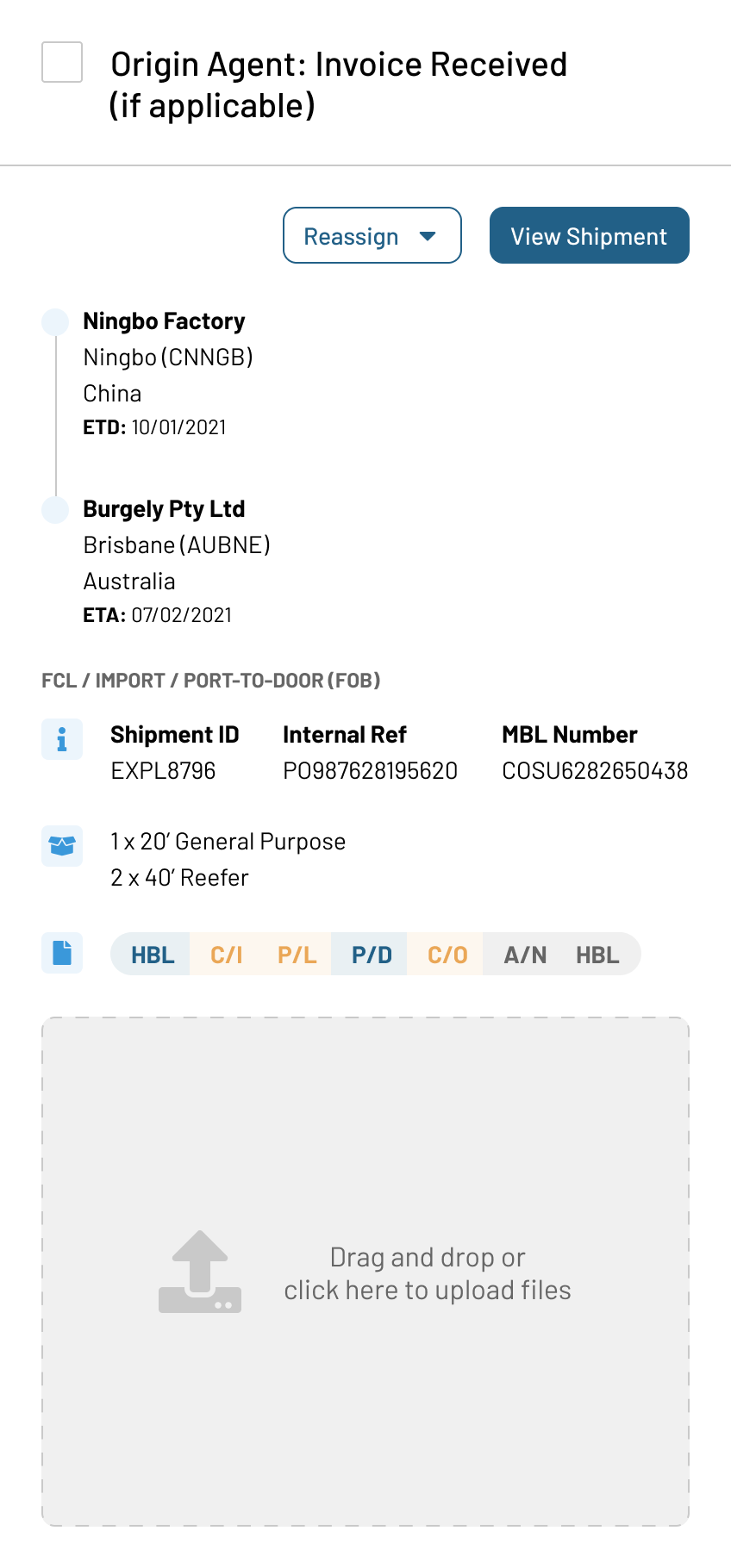
Selecting a task displayed its associated shipment information in a side panel. Operators could understand the task without losing their place, reassign it, or open the full shipment when needed.
Designing around what task completion required.
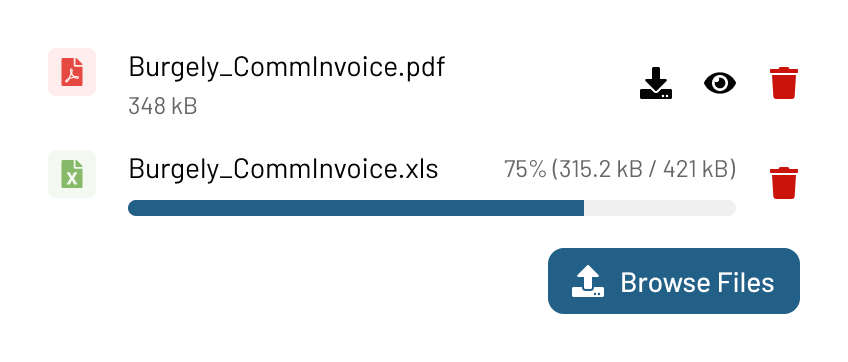
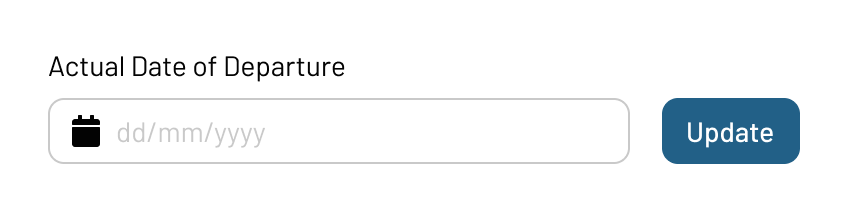
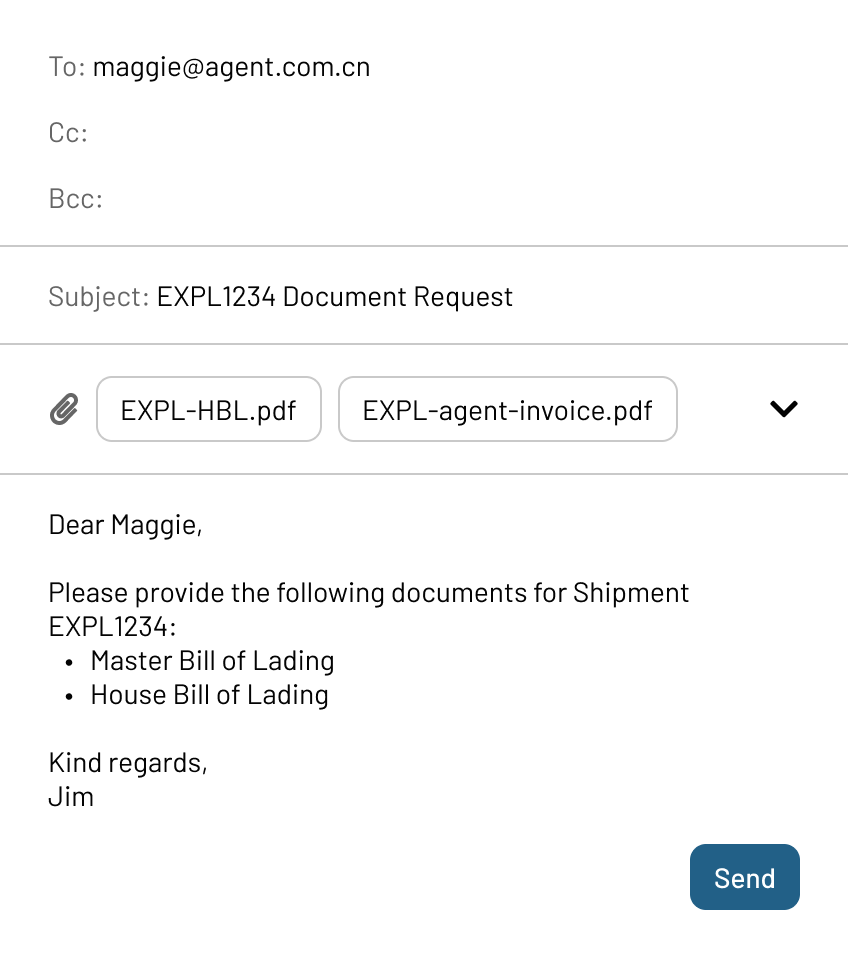
I mapped tasks into four action types. The dashboard needed to be more than a checklist: operators should be able to do the work required to complete a task without navigating into the shipment.
| Task type | Example | Required action |
|---|---|---|
| Shipment progress | Shipment confirmed | Mark the task complete |
| Document received | Agent invoice received | Upload the document |
| Milestone reached | Cargo arrived at destination port | Record the date |
| Third-party correspondence | Request an invoice from an agent | Send an email |
06 / OUTCOMES
A new part of the team’s everyday rhythm.
-
Immediate adoption
The operations team adopted the dashboard on launch day.
-
Better visibility and coordination
The redesigned workspace supported smoother shipment handoffs, easier monitoring of operator workloads, and less back-and-forth. The task list became part of daily standup updates: “Today I’m working on my task list!”
-
2.6× operational scale
An Explorate operator handled 2.6× as many shipments as a traditional freight forwarder.
Making overdue work visible exposed a deeper problem.
Overdue tasks could accumulate for weeks. Some depended on third parties or delayed shipments; others were no longer applicable, or belonged to closed shipments with open checklist items.
I proposed ways to mark tasks as not applicable, snooze them until a relevant follow-up date, and hide remaining tasks on completed shipments. These were suggested improvements, not established shipped outcomes.